
Have you ever felt frustrated by a tangled mess of wires cluttering your desk? Many of us spend hours every day typing and clicking away at our computers. When your equipment feels clunky or unresponsive, it turns a simple task into a major chore. A reliable Bluetooth keyboard and mouse setup can transform your workspace, but finding the perfect pair is not always easy.
The market is flooded with endless brands, weird shapes, and confusing technical specs. You might worry about connection drops, battery life, or whether the keys will actually feel comfortable under your fingers. Choosing the wrong gear leads to wasted money and sore wrists. You deserve a setup that works as hard as you do without the headache of constant troubleshooting.
In this guide, we cut through the noise to help you find the best tools for your specific needs. We will break down the essential features you should look for, from ergonomic designs to battery longevity. You will learn exactly how to spot quality gear that keeps your desk clean and your workflow smooth. By the time you finish reading, you will feel confident picking out the perfect wireless duo for your home or office. Let’s dive in and upgrade your digital experience once and for all.
Top Bluetooth Keyboard And Mouse Recommendations

- Connect in seconds: Fast, easy Bluetooth wireless technology—pair and play this Logitech Wireless Keyboard and Mouse Combo without the need for a dongle or USB port
- Durable and reliable: Built for quality, MK250 Bluetooth keyboard offers long-lasting keys, a spill-resistant design (2), and a 12-month keyboard battery life (1)
- Comfort is key: Deep-profile keys and an adjustable tilt-leg design make typing feel great
- Space-saving: with a compact layout that still includes number pad, arrow keys, and handy F-key shortcuts
- Made responsibly: Designed to last, MK250 plastic parts are durably made with a minimum of 66% (mouse) and 64% (keyboard) recycled plastic (3)(4)


- Reliable Plug and Play: The USB receiver provides a reliable wireless connection up to 33 ft (1), so you can forget about drop-outs and delays and you can take it wherever you use your computer
- Type in Comfort: The design of this keyboard creates a comfortable typing experience thanks to the low-profile, quiet keys and standard layout with full-size F-keys, number pad, and arrow keys
- Durable and Resilient: This full-size wireless keyboard features a spill-resistant design (2), durable keys and sturdy tilt legs with adjustable height
- Long Battery Life: MK270 combo features a 36-month keyboard and 12-month mouse battery life (3), along with on/off switches allowing you to go months without the hassle of changing batteries
- Easy to Use: This wireless keyboard and mouse combo features 8 multimedia hotkeys for instant access to the Internet, email, play/pause, and volume so you can easily check out your favorite sites

- 【Lag-free & Efficient】Stable and reliable connection of wireless keyboard and mouse is up to 10m(33ft). This combo share a nano USB receiver, no need to take up additional USB ports (Also the wireless keyboard and mouse can also be used separately). Plug and play, no software needed,convenient and efficient.
- 【Quiet & Type in Comfort】Wireless keyboard come with adjustable height tilt legs to increase comfort and prevent your wrists injury when typing for a long time.Our wireless keyboard adopts a silent structure. Soft membrane keys provide a quiet and comfortable typing experience.The wireless mouse is quiet without any clicking sound also.So whether at home or in the office, you can use this combo as you please without worrying about disturbing others.
- 【Full Size Keyboard】This keyboard saves desktop space while retaining its full size.The full size wireless keyboard with numeric keypad and 12 multimedia shortcut keys, such as play/ pause, volume increase and decrease, and search, to help you improve work efficiency.
- 【Auto Power Saving Function】Wireless keyboard and mouse have a smart auto-sleep mode to save power for long battery life. They will enter sleep mode after stop using a while(Refer to the instructions for details). Unplug the receiver or after the PC shutdown, they will enter sleep mode too.You can press any keys to wake. (battery life may vary based on user and computing conditions)
- 【Comfortable Optical Mouse】This silent wireless mice provides 3 adjustable DPI (800/1200/1600) to meet your different needs in terms of sensitivity.The compact lightweight design of wireless mouse and a hand-friendly contoured shape for all-day comfort, and smooth, precise tracking. Very suitable for office and daily use.
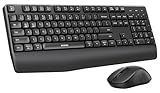
- Wide Compatibility Tips: 2.4G USB mode works with Windows 11/10/8/7/XP. Bluetooth mode supports Windows 11/10/8/7/XP, macOS 10.12+, iPadOS/iOS 13.0+, and Android 4.3+. Note: Bluetooth 4.0 or above is required; 2.4G USB mode is for Windows only
- Effortless Multi-Device & OS Integration: Easily switch between two devices via USB-A receiver or Bluetooth. Perfect for hybrid users with both Windows PC Laptop (USB-A) and MacBook/Mac (Bluetooth). Reduces cable clutter and boosts efficiency in home offices or multi-device setups
- Bluetooth & 2.4G Wireless Dual Connectivity: Bluetooth 5.0 offers stable connections up to 33ft; includes 2.4G USB receiver for non-Bluetooth devices. No drivers needed. Ideal for students, remote workers, or anyone using older computers/tablets without built-in Bluetooth
- Ergonomic Design for All-Day Comfort: Built-in keyboard wrist rest and symmetric quiet mouse reduce wrist strain. Great for long hours of typing/working - perfect for office professionals, writers, and anyone seeking comfort during extended use
- Softer Clicking & Typing Experience: Low-noise keys and mouse clicks maintain a peaceful environment. Bluetooth Mouse DPI adjustable (1000/1600/2400). Suitable for shared spaces, libraries, offices, or night use. Enhances focus without disturbing others

- Type and Click Across Your Personal and Work Computers: Move seamlessly between your home desktop and your work laptop with this wireless and quiet keyboard and mouse combo (2)(3)
- Save Time Like Magic: Customizable keys, buttons and shortcuts for extended possibilities with the Logi Options+ App; available for Windows and macOS (3) (4) (5)
- Enhance Your Space: A sleek and solidly built full-size bluetooth keyboard with familiar laptop-style typing and a comfortable, contoured, bluetooth mouse made of recycled plastic (8)
- Quiet Experience: Conjure some focus time with quiet typing and clicking; the M750 L Signature Plus is a quiet click mouse with SilentTouch technology for 90% less click noise (7)
- Easy Scrolling: With the M750 L Signature Plus wireless mouse for larger hands, you can scroll through documents line by line, or fly effortlessly through long web pages with the SmartWheel
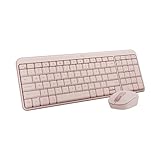
- Connect in seconds: Fast, easy Bluetooth wireless technology—pair and play this Logitech Wireless Keyboard and Mouse Combo without the need for a dongle or USB port
- Durable and reliable: Built for quality, MK250 Bluetooth keyboard offers long-lasting keys, a spill-resistant design (2), and a 12-month keyboard battery life (1)
- Comfort is key: Deep-profile keys and an adjustable tilt-leg design make typing feel great
- Space-saving: with a compact layout that still includes number pad, arrow keys, and handy F-key shortcuts
- Made responsibly: Designed to last, MK250 plastic parts are durably made with a minimum of 66% (mouse) and 64% (keyboard) recycled plastic (3)(4)

- Precision Typing: An instantly familiar experience, type with ease and comfort on this full-size wireless keyboard, featuring reduced noise, palm rest, spill-resistant design (1), adjustable tilt legs
- Built For Comfort: The sleek combo's wireless mouse features an ambidextrous shape and soft rubber side grips that fit comfortably in your palm, as well as enhanced tracking and precise cursor control
- Long-Lasting Autonomy: The wireless keyboard and mouse set come with long-lasting battery life, with the keyboard lasting up to 36 months and the wireless mouse for up to 18 months (3)
- Customized Control: Enhanced productivity at your fingertips, the computer keyboard comes built with convenient, essential hotkeys providing direct access to media, calculator, battery check functions
- Wireless Freedom: Plug-and-play your keyboard and mouse with the mini Logitech Unifying USB receiver, for a reliable wireless connection up to 33 ft away from your PC or laptop (2)

- Reliable Plug and Play: The USB receiver provides a reliable wireless connection up to 33 ft (1), so you can forget about drop-outs and delays and you can take it wherever you use your computer
- Type in Comfort: The design of this keyboard creates a comfortable typing experience thanks to the low-profile, quiet keys and standard layout with full-size F-keys, number pad, and arrow keys
- Durable and Resilient: This full-size wireless keyboard features a spill-resistant design (2), durable keys and sturdy tilt legs with adjustable height
- Long Battery Life: MK270 combo features a 36-month keyboard and 12-month mouse battery life (3), along with on/off switches allowing you to go months without the hassle of changing batteries
- Easy to Use: This wireless keyboard and mouse combo features 8 multimedia hotkeys for instant access to the Internet, email, play/pause, and volume so you can easily check out your favorite sites
The Ultimate Guide to Choosing the Perfect Bluetooth Keyboard and Mouse
Finding the right Bluetooth keyboard and mouse can change how you work. These tools remove messy wires from your desk. They also help you switch between devices with ease. This guide will help you pick the best set for your needs.
Key Features to Look For
First, check the connectivity. Good sets use Bluetooth 5.0 or higher for a strong signal. Look for multi-device pairing. This allows you to switch from your laptop to your phone by pressing one button. Next, consider battery life. Some models use rechargeable batteries, while others need AA batteries. Choose what fits your routine best.
Important Materials
Most keyboards use high-quality ABS plastic. This material is light and durable. Some premium models feature an aluminum top plate. This adds weight and makes the keyboard feel solid. For the mouse, look for rubberized side grips. These grips prevent your hand from slipping during long work sessions.
Factors That Improve or Reduce Quality
Quality often depends on the switch type. Mechanical switches feel clicky and precise. Membrane switches are quiet and soft. If you type a lot, mechanical switches usually last longer. The mouse sensor is also vital. A high DPI (dots per inch) sensor makes the cursor move smoothly. Cheap sensors may stutter or lag on certain surfaces.
User Experience and Use Cases
Think about how you plan to use your gear. If you travel often, look for a slim, portable design. If you work from home, a full-sized keyboard with a number pad is better. Ergonomic shapes help if you spend all day at your desk. A good mouse should fit the size of your hand to prevent wrist pain.
Frequently Asked Questions
Q: Do I need a USB dongle for Bluetooth devices?
A: No. Bluetooth devices connect directly to your computer’s internal wireless card. However, some sets come with a USB receiver as a backup option.
Q: Can I use these with an iPad or tablet?
A: Yes. Most Bluetooth keyboards and mice work perfectly with tablets. Just pair them through your device’s settings menu.
Q: How long does the battery usually last?
A: It depends on the model. Some rechargeable sets last for three months on one charge. Battery-powered sets can last up to a year.
Q: Is a mechanical keyboard better for gaming?
A: Yes. Mechanical keyboards offer faster response times. This gives gamers an advantage during fast-paced play.
Q: Will these work on glass desks?
A: Standard optical mice struggle on glass. Look for a “Darkfield” or high-precision laser sensor if you plan to use your mouse on a glass surface.
Q: Are these sets waterproof?
A: Most are not waterproof. Some feature spill-resistant designs, but you should always keep liquids away from your electronics.
Q: Can I connect one mouse to two computers?
A: Many modern mice have a button on the bottom. This allows you to switch the connection between two different computers quickly.
Q: Do I need special software to use them?
A: Usually, no. Most devices are “plug and play.” You might need to download software if you want to customize button shortcuts.
Q: How do I fix lag or connection drops?
A: First, check your battery levels. If the battery is full, move closer to the computer. Keep other wireless devices away to reduce interference.
Q: Should I choose an ergonomic design?
A: If you type for more than four hours a day, an ergonomic design is a smart choice. It reduces strain on your wrists and fingers.

Hi, I’m Larry Fish, the mind behind MyGrinderGuide.com.. With a passion for all things kitchen appliances, I created this blog to share my hands-on experience and expert knowledge. Whether it’s helping you choose the right tools for your culinary adventures or offering tips to make your kitchen more efficient, I’m here to guide you. My goal is to make your time in the kitchen not only easier but also enjoyable! Welcome to my world of kitchen mastery!