
As an Amazon Associate I earn from qualifying purchases.
Choosing an Android tablet with a stylus pen is harder than it looks. Some models focus on drawing and eye comfort, while others prioritise note-taking, study, storage, or an all-in-one accessory bundle.
Pay attention to the screen, stylus features, storage, battery capacity, and included accessories. A large paper-like display suits artists, while a lighter 10-inch tablet may work better for casual notes and everyday entertainment.
These five picks were selected from the listed products for their distinct strengths, including large creative displays, branded pens, high storage, multitasking hardware, and accessible everyday configurations.
This guide compares what each Android Tablet With Stylus Pen offers, then highlights the main trade-offs so you can match the tablet to your work, study, or creative routine.
Our Top 5 Android Tablet With Stylus Pen Picks at a Glance
| Product | ||
|---|---|---|
 |
TCL NXTPAPER 14 Android Tablet Drawing and eye comfort |
Check Price |
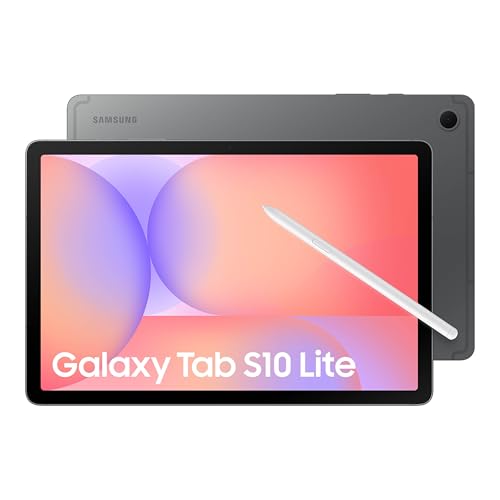 |
Samsung Galaxy Tab S10 Lite Notes and everyday use |
Check Price |
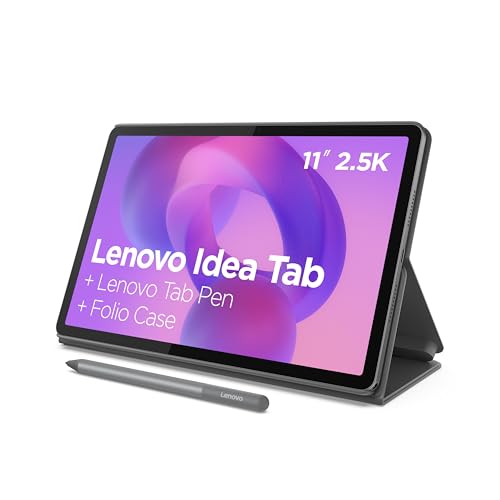 |
Lenovo Idea Tab 8GB/256GB Study and campus use |
Check Price |
 |
TCL NXTPAPER 11 Gen 2 Digital notebook portability |
Check Price |
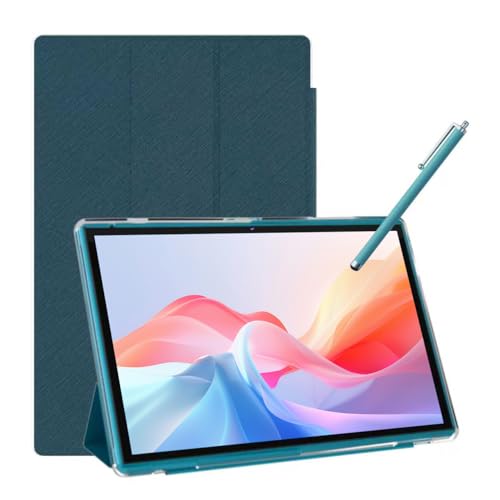 |
NOVOJOY 10.1-Inch Android 15 Tablet Starter stylus tablet use |
Check Price |
Top 5 Android Tablet With Stylus Pen: Detailed Reviews
1. TCL NXTPAPER 14 Android Tablet
The TCL NXTPAPER 14 is a large Android Tablet With Stylus Pen built for drawing, digital notes, and media. Its 14.3-inch 2.4K paper-like display reduces glare, filters blue light, and uses DC dimming, which can make long sessions more comfortable. The included 4096-level stylus should give you finer control for sketches and handwriting, while the case adds practical protection. Press the NXTPAPER Key to switch among three display modes: Standard for everyday tasks and paper-focused options for reading or creative work. You also get 8GB RAM and 256GB storage.
What We Like:
- The 14.3-inch display gives drawings, notes, and split-screen work plenty of room.
- The paper-like screen treatment reduces glare and supports more comfortable extended viewing.
- A 4096-level stylus offers detailed control for handwriting and creative work.
- The included case makes the tablet easier to protect and carry.
- Three display modes let you adjust the screen for different types of use.
What Could Be Improved:
- The large 14.3-inch body is less convenient for one-handed use or compact travel.
- Its size may feel excessive if you mainly want a small digital notebook.
- The paper-focused display modes may not suit you if you prefer a consistently vivid, conventional screen.
Buy the TCL NXTPAPER 14 if you want a spacious drawing surface, comfortable reading display, and included accessories for creative or productivity work. It suits artists, note-takers, and multitaskers better than commuters seeking maximum portability. Skip it if you prefer a compact tablet or a consistently vivid standard display.
2. Samsung Galaxy Tab S10 Lite
The Samsung Galaxy Tab S10 Lite is a practical Android Tablet With Stylus Pen for notes, sketches and everyday entertainment. Its responsive S Pen supports handwriting, drawing and even math input, while the 10.9-inch LCD gives you room to work without making the tablet unwieldy. The Exynos 1380 processor handles streaming, browsing, note-taking and multitasking. Battery life can reach up to 16 hours, and the 128GB storage can expand by up to 2TB, giving you plenty of space for apps, files, photos and videos.
What We Like:
- The included S Pen makes handwritten notes and quick sketches feel natural.
- The 10.9-inch display balances workspace with portability for everyday use.
- Battery life of up to 16 hours suits long study or entertainment sessions.
- Up to 2TB of expandable storage reduces the need to delete files.
- The Exynos 1380 supports streaming, browsing and multitasking.
What Could Be Improved:
- The 128GB internal storage may feel limited if you install many large apps or store lots of media before adding a card.
- The 10.9-inch screen may feel cramped for detailed creative work or extensive split-screen multitasking.
- A full charge takes about two hours, so you need to plan ahead after extended use.
Buy it if you want a versatile Samsung tablet for handwritten notes, casual drawing, study and long viewing sessions, with generous expandable storage. Skip it if you need a larger canvas for detailed artwork or prefer all your storage built in rather than relying on expansion.
3. Lenovo Idea Tab 8GB/256GB
The Lenovo Idea Tab is an Android Tablet With Stylus Pen support built for study and campus work. Its 11-inch 2.5K IPS touchscreen runs at 90Hz, so scrolling, writing, and compatible pen input should feel clear and responsive. The MediaTek Dimensity 6300 processor and 8GB of memory support multitasking, while 256GB of storage gives you room for notes, apps, and media. Lenovo AI Note, Squid, Nebo, and MyScript Calculator suit different learning tasks. Circle to Search can identify or translate items without leaving your current app.
What We Like:
- The 2.5K display gives notes, diagrams, and video a sharp look.
- A 90Hz refresh rate should make scrolling and handwriting feel smoother.
- 8GB of memory supports switching between study apps and entertainment.
- 256GB of storage provides useful room for course files and downloads.
- Quad Dolby Atmos-tuned speakers suit lectures, videos, and streaming breaks.
What Could Be Improved:
- The supplied information does not confirm whether the Lenovo Tab Pen comes in the box, so check the bundle before buying.
- At 11 inches, it is less compact than a smaller tablet for carrying around campus.
- The advertised battery life is up to 12 hours of YouTube, so demanding workloads may require more frequent charging.
Buy this Lenovo if you want a roomy, sharp screen for handwritten notes, research, sketching, and streaming, with enough storage for campus files. Skip it if you need a highly compact tablet or a confirmed included stylus; the pen bundle details are not specified here.
4. TCL NXTPAPER 11 Gen 2
The TCL NXTPAPER 11 Gen 2 is an Android Tablet With Stylus Pen designed for portable notes, sketching, and reading. Its included 4096-level stylus should give you more controlled pen input, while the case helps protect the tablet and carry it. NXTPAPER 4.0 adds a paper-like surface, TÜV-certified low blue light, and an anti-glare coating for more comfortable viewing. VersaView modes let you switch between regular, paper-like, and ink-focused experiences. You also get AI writing and translation tools, 128GB of storage expandable to 1TB, and an 8000mAh battery.
What We Like:
- The 4096-level stylus and included case make this a ready-to-use digital notebook.
- NXTPAPER 4.0 reduces glare and supports more comfortable long reading sessions.
- VersaView modes suit streaming, reading, and writing without needing separate apps.
- The 128GB storage can expand to 1TB for notes, downloads, and large files.
- An 8000mAh battery supports a full day of study, work, and entertainment.
What Could Be Improved:
- The 11-inch screen is less compact than a smaller tablet for carrying between meetings or classes.
- Changing VersaView modes requires opening Settings rather than using a dedicated physical control.
- The 128GB capacity may feel limited if you store many videos or large creative files before adding expandable storage.
Buy it if you want a portable digital notebook with a paper-like display, included pen, eye-comfort features, and flexible viewing modes. Skip it if you need the smallest possible tablet, dislike changing display settings, or expect generous built-in storage for large media libraries.
5. NOVOJOY 10.1-Inch Android 15 Tablet
The NOVOJOY Android Tablet With Stylus Pen is a starter-friendly 10.1-inch tablet running Android 15. Its included stylus lets you enter text directly, while the foldable protective case adds convenient support and protection. The 1280×800 IPS display suits browsing, notes, and video, and the quad-core processor handles everyday tablet tasks. You get 32GB of storage, 8GB RAM including 5GB expansion, and support for up to 1TB of expansion. A 6000mAh battery is rated for 6–8 hours of continuous use and charges through USB-C.
What We Like:
- The stylus and case are included, so you have the essentials for note-taking immediately.
- Android 15 provides a current software platform.
- Up to 1TB of expansion gives you substantial room for files and media.
- The 6000mAh battery supports 6–8 hours of continuous use.
- The 10.1-inch IPS screen offers a practical size for reading, notes, and viewing content.
What Could Be Improved:
- The 1280×800 resolution is modest, so creative work may look less detailed than on a higher-resolution display.
- The 32GB internal storage is limited before using expansion storage.
- The listing does not specify pressure sensitivity or advanced pen features, which may restrict serious drawing use.
Buy this NOVOJOY if you want an affordable entry point for simple notes, browsing, media, and occasional stylus input, with a case included. Skip it if you need a high-resolution canvas, advanced pen performance, or ample built-in storage for demanding creative projects.
How to Choose an Android Tablet With Stylus Pen
Choosing an Android Tablet With Stylus Pen
Start with the work you actually plan to do. Sketching, handwriting, annotating documents and casual browsing place different demands on a tablet, so the best choice is not automatically the largest or newest model. Think about whether you need a focused creative tool, a digital notebook, or a general tablet that happens to support pen input.
Check how the stylus fits into your routine before you buy. You should confirm that the pen is included or available for the specific tablet, then consider how comfortably you can hold it during longer sessions. A pen that is easy to carry, store and use matters if you expect to take notes in class, work in cafés or move between meetings.
Screen comfort and drawing space
Screen size affects both creative work and portability. A larger display gives you more room for sketches, timelines and side-by-side reference material, while a smaller tablet fits more easily into a bag and feels less cumbersome as a notebook replacement. Look beyond size as well: a comfortable viewing experience can matter during extended reading, writing and drawing sessions.
For creative work, consider whether the display gives you enough space to see detail without constantly zooming. For notes and study, readability and a comfortable layout may matter more than maximum canvas area. Your preferred balance depends on where and how long you use the tablet.
Storage, memory and everyday workload
Choose capacity around your files and applications, not just your current needs. Creative projects, downloaded reference material, school documents and offline media can accumulate quickly. More memory can also help if you regularly switch between a note-taking app, browser and other tools, but you should still prioritise the tasks you perform most often.
Also consider battery habits, charging convenience and the tablet’s weight. These details rarely appear in a shortlist based only on screen size, yet they determine whether you keep the device nearby and use it consistently.
Portability and long-term value
Set a realistic budget, then compare what is included rather than focusing only on the tablet itself. A suitable pen, protective case or other required accessory can change the total cost. You should also check software support and update information available for the model, since a tablet is a longer-term purchase.
Finally, match the device to your tolerance for compromise. A specialist drawing choice may be less convenient to carry, while a compact study tablet may offer less room for detailed artwork. The right purchase is the one whose limitations fit your routine.
Which Android Tablet With Stylus Pen Should You Choose?
The TCL NXTPAPER 14 Android Tablet is the best overall pick here if drawing space and eye comfort are your priorities. The Samsung Galaxy Tab S10 Lite is the strongest alternative for notes and everyday use, making it a more natural fit if creative work is only part of your routine. For study, portability or a first stylus tablet, the Lenovo Idea Tab, TCL NXTPAPER 11 Gen 2 and NOVOJOY each serve more specific needs.

Hi, I’m Larry Fish, the mind behind MyGrinderGuide.com.. With a passion for all things kitchen appliances, I created this blog to share my hands-on experience and expert knowledge. Whether it’s helping you choose the right tools for your culinary adventures or offering tips to make your kitchen more efficient, I’m here to guide you. My goal is to make your time in the kitchen not only easier but also enjoyable! Welcome to my world of kitchen mastery!